Follow these steps
Confirm the name of your phone. In Settings → General → About, read the Model Name. Apple documents USB-C on iPhone 15 and Lightning on iPhone 14. Check the exact model before assuming an older cable will fit.
Check both cable ends. A USB-C to USB-C charging cable connects iPhone 15 to a compatible USB-C power adapter. An older USB-C to Lightning cable ends in Lightning at the phone and will not fit the iPhone 15. Never force a connector.
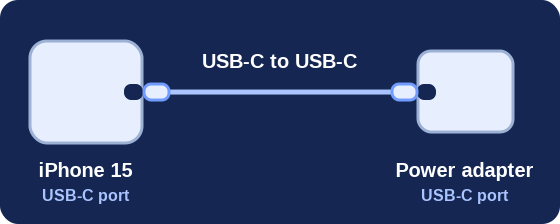
Reuse a working cable if it fits your setup. Apple lists iPhone 15 for its Apple 240W USB-C Charge Cable (2 m) as one compatible example. Its 240 W specification describes cable capacity. The charging rate is limited by the phone and adapter, and this particular cable transfers data at USB 2 speeds.
If the charging indicator stays off, test one part at a time. Check the outlet and try a known working compatible cable or adapter. Stop using visibly damaged accessories. If the phone still will not charge, consult Apple’s charging troubleshooting instructions.
Check your result
The matching connector slides in without force and your iPhone shows the charging indicator.