Technology Essentials 100 · Skill 18 · Core Device and System Basics
Use accessibility tools, including zoom, captions and text size.
Beginner · About 5–15 minutes including practice
Read It
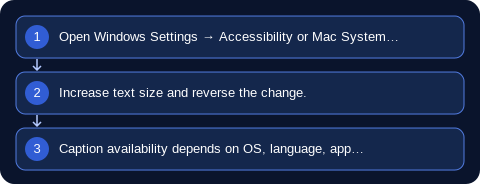
- Windows and macOS. Open Windows Settings → Accessibility or Mac System Settings → Accessibility. Try text size or zoom and check caption options.
- Supported alternatives. Open Accessibility on iPhone/iPad or Android. Look for display size, magnification and captions supported by your device.
- Try it. Increase text size and reverse the change.
If you get stuck
Caption availability depends on OS, language, app and hardware.