Technology Essentials 100 · Skill 40 · Typing, Text and File Management
Switch between active apps or browser tabs quickly.
Beginner · About 5–15 minutes including practice
Read It
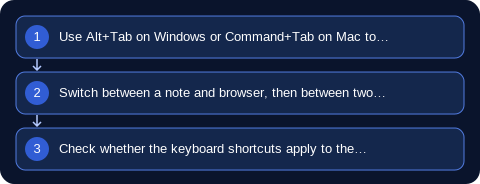
- Windows and macOS. Use Alt+Tab on Windows or Command+Tab on Mac to switch apps. Use the browser’s next-tab shortcut, often Ctrl+Tab.
- Supported alternatives. Open the device’s app switcher, then use the browser’s own tab switcher.
- Try it. Switch between a note and browser, then between two tabs.
If you get stuck
Check whether the keyboard shortcuts apply to the app or browser in focus.