Technology Essentials 100 · Skill 93 · Productivity, Media and Everyday Security
Enable two-factor or multi-factor authentication.
Beginner · About 5–15 minutes including practice
Read It
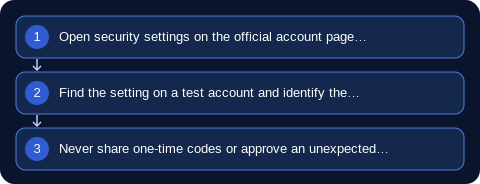
- Windows and macOS. Open security settings on the official account page and enable a supported second factor. Save recovery codes privately.
- Supported alternatives. Use a supported authenticator, passkey or security key according to the service’s options.
- Try it. Find the setting on a test account and identify the backup method.
If you get stuck
Never share one-time codes or approve an unexpected prompt.