Everyday Technology Workflows · Windows and macOS
Choose standard, administrator and supported guest accounts
Beginner · 10–15 minutes with practice · Windows macOS
Read It
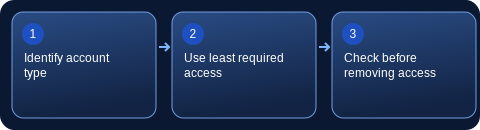
- Identify account type. Windows 11: Settings → Accounts → Other users can add a permitted standard local account. An administrator can change account type. Use a separate standard account for occasional sharing; a browser guest session is separate.
- Use least required access. macOS: System Settings → Users & Groups. Standard and administrator users have different permissions. Guest User availability and behavior vary with FileVault, management and system version.
- Check before removing access. Confirm who owns the computer and which administrator account remains usable before making account changes.
Practice It
On a personally owned computer, inspect your account type and find the sign-out menu without creating or removing any account.
Common mistakes and safe recovery
Removing an account may remove its local profile and files. Back up and verify needed files first, and keep at least one authorized administrator.
Official references
Related lessons
- Technology Essentials 11: Understand user accounts, guest access and sign-out options.
- Technology Essentials 39: Manage multiple profiles or accounts within apps and browsers.
- Technology Essentials 58: Sign out of shared or public computers and browsers.
- Technology Essentials 95: Lock devices using strong passcodes, PINs or biometric authentication.
- Use a Chrome Guest window on a shared computer