Use a single monitor while testing. Start with the quick Mac display guide if you have not checked power and input. This companion helps you distinguish no signal, a working but blurry image, and limits introduced by a dock.
Quick steps
Make sure the monitor is powered and select the input that matches the plugged-in port.
If possible, bypass the dock and use a known compatible video cable or adapter.
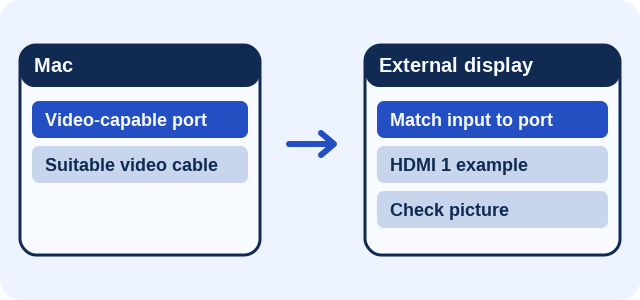
A Mac connects directly to an external display. First confirm the cable supports video, then choose the matching display input. Enlarge diagram If the picture is still missing, check the Mac model's display limits before changing equipment.
What success looks like
You can distinguish a failed input or connection from a supported but limited display mode. Record which port, cable and settings worked.
If you get stuck
If the direct test also fails, try disconnecting the monitor from power and reconnecting it, or restart the Mac after saving work. A persistent black display can require manufacturer support. Keep the known-working configuration if you need the Mac for work.
Full written instructions
- If the monitor says No Signal, confirm the selected HDMI or DisplayPort input. Reconnect both ends of the cable. If you already have a video-capable cable or adapter, try a direct connection from Mac to monitor to remove the dock from the test.
- Keep a laptop Mac open for the first test. If a prompt asks whether to allow a known connected display, review the device and allow it if it is yours. In System Settings › Displays, hold Option to show Detect Displays if available.
- If video works but is blurry or capped, check the resolution and refresh rate in Displays. Start with a setting supported by all components. Compare the Mac’s exact model specifications, the monitor manual and the cable or adapter's published limits.
- If one monitor works directly but the issue returns through the dock or with another monitor, check the docking guide. Connect the monitors one at a time and document which combinations work. Display count and closed-lid support depend on your exact Mac and configuration.