Everyday Technology Workflows · Phones and Tablets
Check battery usage, low-power modes and storage
Beginner · 10–15 minutes with practice · iPhone iPad Android
Read It
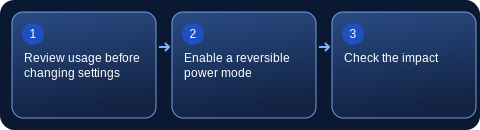
- Review usage before changing settings. On iPhone or iPad use Settings → Battery. Review recent app usage, then enable Low Power Mode in Battery settings or its power mode area where offered.
- Enable a reversible power mode. On Android look for Settings → Battery → Battery usage or Battery Saver. On Pixel, Extreme Battery Saver can suspend apps. Other Android devices use different controls.
- Check the impact. Separately review device storage and download sizes. Do not delete data to solve battery drain without evidence it is related.
Practice It
Enable a power mode temporarily and check whether an essential app still syncs before restoring your preferred setting.
Common mistakes and safe recovery
Power modes can delay some background updates or notifications. Stop using and charging a swollen battery and seek service.
Official references
Related lessons
- Technology Essentials 8: Check battery health, power modes and charging habits.
- Technology Essentials 19: Manage storage space and clear temporary or unused files.
- Make your iPhone battery last longer between charges
- Improve Android battery life using your phone’s built-in tools
- Free up iPhone storage without losing important files