Everyday Technology Workflows · Cross-Device Essentials
Review app permissions, notifications and privacy
Beginner · 10–15 minutes with practice · Windows macOS iPhone iPad Android
Read It
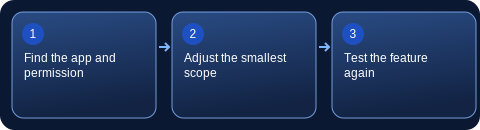
- Find the app and permission. Windows 11: Settings → Privacy & security for camera or mic and System → Notifications for alerts. On macOS, use System Settings → Privacy & Security and Notifications.
- Adjust the smallest scope. On iOS/iPadOS use Settings → Privacy & Security or Notifications. On Android use Settings → Apps, open the app, and inspect Permissions or Notifications. Android names vary by device.
- Test the feature again. Review browser site permissions separately. Both the OS and the browser may need to allow a trusted site to use a camera or microphone.
Practice It
Disable a nonessential app alert, confirm a different app still alerts, and reverse the change if desired.
Common mistakes and safe recovery
Removing access can break a feature. Restore only the permission that feature requires; respect managed-device controls.
Official references
Related lessons
- Technology Essentials 16: Use Do Not Disturb, Focus modes and notification settings.
- Technology Essentials 52: Handle pop-ups, camera, microphone, location and notification permissions.
- Technology Essentials 97: Review app permissions for location, contacts, photos and other data.
- Review one Android app permission
- Adjust notifications from one Android app
- Pause distracting apps with Android Focus mode