Technology Essentials 100 · Skill 100 · Productivity, Media and Everyday Security
Perform basic troubleshooting through safe restarts, cable checks, connectivity checks and app restarts.
Beginner · About 5–15 minutes including practice
Read It
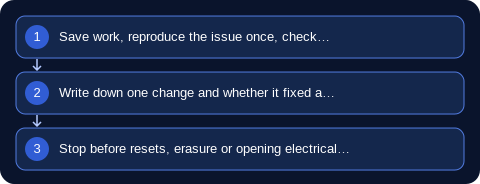
- Windows and macOS. Save work, reproduce the issue once, check power/cables and one setting at a time, then restart the app or device when safe.
- Supported alternatives. Check airplane mode, network and battery before trying a normal reboot.
- Try it. Write down one change and whether it fixed a fictional no-sound problem.
If you get stuck
Stop before resets, erasure or opening electrical equipment; escalate with notes if needed.