Everyday Technology Workflows · Phones and Tablets
Pair Bluetooth, share a hotspot and cast to a display
Beginner · 10–15 minutes with practice · iPhone iPad Android Windows macOS
Read It
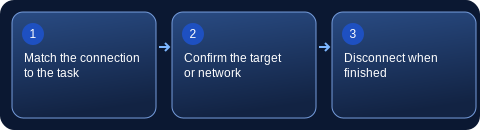
- Match the connection to the task. For Bluetooth, turn on accessory pairing mode then use iPhone/iPad Settings → Bluetooth or Android Connected devices. Choose the matching accessory and test it at low volume.
- Confirm the target or network. For internet sharing, use Apple Personal Hotspot on supported cellular plans or Android Hotspot & tethering. Set a strong hotspot password and check the carrier’s allowance.
- Disconnect when finished. For display sharing, use AirPlay or a supported Cast device with a compatible network and app. Cast sends content from a supported app; screen mirroring may reveal everything on screen.
Practice It
Pair a headset or locate an available display without mirroring personal material. Turn off hotspot sharing when finished.
Common mistakes and safe recovery
Forgetting a pairing requires setup again. Check the correct display and network before changing other devices or resetting a connection.
Official references
Related lessons
- Technology Essentials 6: Connect to Wi-Fi networks and manage cellular data on mobile.
- Technology Essentials 7: Pair Bluetooth headphones, mice, keyboards and other accessories.
- Technology Essentials 89: Cast or mirror screens to TVs and external displays.
- Pair a Bluetooth accessory in Windows 11
- Connect to an iPhone Personal Hotspot
- Fix Wi-Fi on Android, starting with Google Pixel
- Smart Shopping: check accessory compatibility