Workplace Technology Academy · Onboarding and Workstations
Connect printers, scanners, docks, displays and conferencing gear
Intermediate · 10–20 minutes including practice
Read It
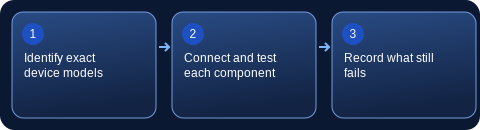
- Identify exact device models. Read the computer, dock and accessory model labels. Check video outputs, display limits, device charging requirements and the supplied power adapter before connecting.
- Connect and test each component. On Windows 11 use Settings → Bluetooth & devices → Printers & scanners. On macOS use System Settings → Printers & Scanners. Use only the organization’s approved print queue and scan tool. Test a non-sensitive page.
- Record what still fails. Connect one display and then test microphone, speakers and camera in a known app. Check which device is selected before replacing cables or installing drivers.
Practice It
Draft a setup note with a printer queue, test scan format, display input and selected microphone. Use fictional assets and no private content.
Common mistakes and troubleshooting
USB-C shape alone does not establish video or power compatibility. Confirm the scan destination and ask IT before uninstalling a managed driver.
Official references
Related lessons and assistance
- Technology Essentials 7: Pair Bluetooth headphones, mice, keyboards and other accessories.
- Technology Essentials 76: Test microphones, speakers and cameras before important calls.
- Technology Essentials 88: Connect printers, scan documents and check print queues.
- Technology Essentials 89: Cast or mirror screens to TVs and external displays.
- Technology Essentials 100: Perform basic troubleshooting through safe restarts, cable checks, connectivity checks and app restarts.
- Choose a compatible USB-C docking station
- Match Windows display layout to your desk
- Fix a black, blurry or capped external monitor on Mac
- Arrange and scale multiple monitors
- Pair Bluetooth, share a hotspot and cast to a display
- Smart Shopping: match the exact model before choosing accessories